
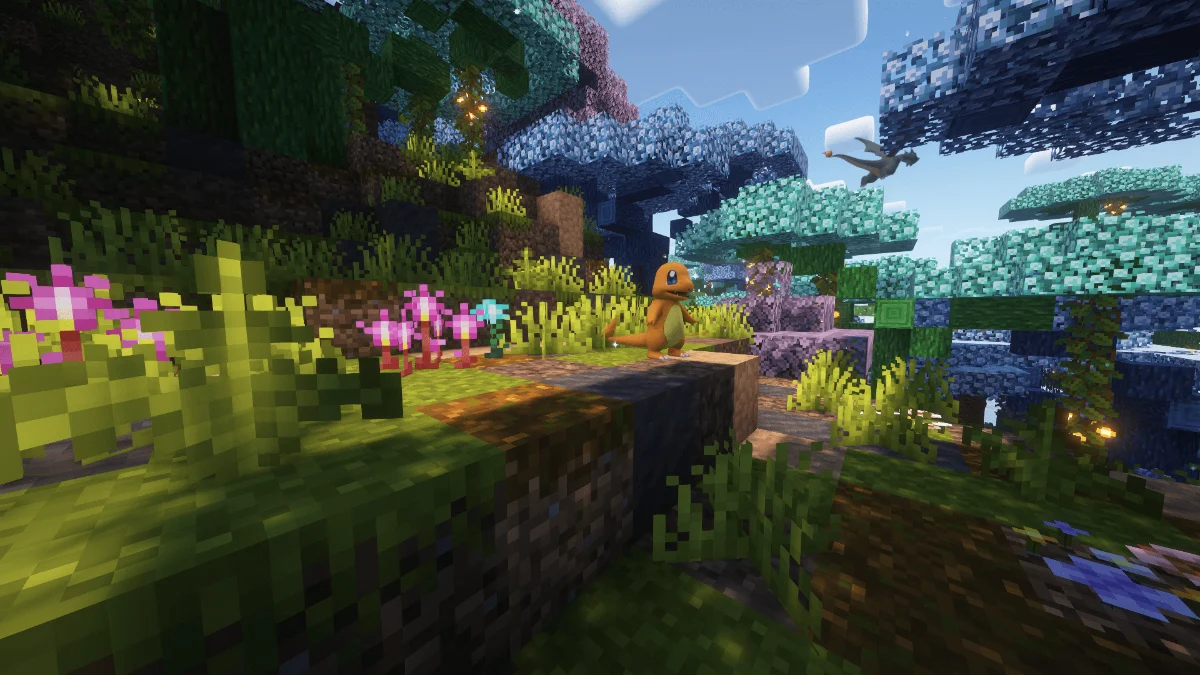
Java Pixelmon community modpack screenshot with custom visual settings. Image: Kesselot, Pixelmon Jenny.
Pixelmon commands can expose useful information, support server administration and help investigate problems. Their availability depends on the installed release, permissions and any extra server software. Learning how to read a command reference is therefore more useful than copying a long list without context. This guide explains how to interpret syntax, select the correct target and test carefully so you understand what a command is expected to do before entering it.
Begin with your own environment
Identify whether you are playing a local world, joining someone else's server or administering a server yourself. Those roles give you different access. A command listed in the official reference may exist in the software while remaining unavailable to an ordinary player. Permission restrictions are part of the server configuration, rather than evidence that your game installation is necessarily broken.
Confirm the installed Pixelmon version before relying on an example. Command names, arguments and permissions can change between releases. Keep a note of the profile you are using and use its help output where available. If an online example disagrees with the running server, investigate the version difference instead of repeatedly entering variations at random.
Read placeholders as instructions
Command references often show angle brackets around a required value and square brackets around an optional value. These symbols explain the syntax; they are not usually text you should type literally. A player placeholder means you should supply the intended player's name or another supported target form, while a slot placeholder identifies a position in a party.
Before entering an example, identify every part that needs replacing. Check whether a multiword value requires a particular format, and use completion suggestions when the game provides them. Avoid guessing punctuation from a screenshot. A copied line can contain hidden spaces or unusual characters, so type a short command manually if the result does not match the reference.
Check information before changing anything
Begin with commands that display information rather than alter a team or a world. For example, the official command reference documents the IV inspection command using a party slot. Where available and permitted, an example such as /ivs 1 requests information about the Pokemon in the first party position. Check the current reference and local help before assuming the same access on a public server.
Treat the output as one piece of context. A displayed statistic does not by itself explain why a Pokemon lost a battle or whether it belongs on your team. Moves, matchups and your intended play style still matter. Write down what you wanted to learn and what the response actually answered; this keeps command use connected to a practical question.
Confirm the party slot and target
A party slot refers to position, not to a species name. Moving Pokemon around can change which one a command addresses. Open the party, confirm the order and then enter the command. If you are comparing two team members, inspect them one at a time and label your notes so that you do not mix up their results.
Targeting becomes more important for administrators. Similar player names, renamed Pokemon and a console context can make assumptions unreliable. Confirm the target before using any action that changes data. If an interface supports command completion, use it to reduce spelling mistakes, but still read the completed line before executing it. Completion helps with syntax; it does not decide your intention.
Understand permissions and missing commands
A permission denial means that your current role is not allowed to perform the requested action. It does not automatically mean that you typed the command incorrectly. On a community server, consult the published command guide or ask staff which player tools are supported. Do not request broad administrative access just to inspect information that the community intentionally limits.
An unknown command can have several causes: the command may belong to a different release, an additional mod may be missing or the name may have been entered incorrectly. Compare the installed software with the source of the example. Commands for travel, claims, ranks or shops frequently depend on server additions, so they should not be described as guaranteed features of every Pixelmon installation.
Separate player tools from administrative actions
Commands that create Pokemon, modify progression or change player data deserve a different workflow from information checks. Read the full reference, identify the target and determine what would need restoring if you made a mistake. For a local experiment, use a disposable test world instead of the save that contains your main collection and builds.
For a server, document why a change is needed and preserve an appropriate backup before a significant operation. Check the result with the affected player where relevant. Avoid running a broad action simply because it appears in an online troubleshooting answer. The correct command for recreating a test case can be the wrong command for repairing a long-running community world.
Troubleshoot an error systematically
Keep the exact error text. A missing argument, an invalid target and a permission problem require different fixes. Compare your line with the documented syntax, then check the part mentioned by the error. Retry the smallest appropriate example before adding optional arguments. This makes it easier to see whether the command works at all in your environment.
If you need support, share the command name, relevant arguments, installed version and resulting message. Replace private player details with clear placeholders when posting publicly. Do not paste an entire server configuration or log merely because someone asks for more context; provide the relevant section after reviewing it. Keep a record of successful commands so that future maintenance does not depend on memory.
Build a small command notebook
Create a short list organized by purpose: inspect a party member, find reference information or perform a specific maintenance task. For each entry, record the release and permission context in which you verified it. Add a plain-language description of the result. A list you have checked in your own environment is more dependable than an enormous untested collection copied from unrelated servers.
Review the notebook after updates. Remove examples you no longer use and retest important administrative procedures in a temporary environment. If you share the list with friends, distinguish commands ordinary players can use from commands reserved for staff. Explain where server additions are involved so that readers understand why the same line may not work in single player.
A short exercise for learning command syntax
Choose one information command that your environment allows. Read its reference and write a prediction before entering it: what target should it inspect, and what kind of output should appear? Confirm the party order if the command uses a slot. Enter the smallest documented example and compare the response with your prediction. This is a learning exercise, so avoid adding optional arguments until the basic form makes sense.
Next explain the result in ordinary language. If the command displayed a value, identify which Pokemon it belonged to and what question that value helps answer. If you received an error, classify it before trying again. Was the name unknown, was an argument missing or was permission denied? Correcting the relevant issue teaches you more than pasting a different command until something produces a response.
Record the successful line with its version and context. If you later use the command after reorganizing your party, check the target again. A command can be syntactically valid while inspecting a different Pokemon from the one you intended. Keeping intention, target and output together is the habit that matters most when you move from harmless information checks to administrative tools.
Share examples with enough context
When writing a command guide for friends, include a short purpose statement beside each example. Show which values readers must replace and explain whether a permission or extra server mod is involved. Avoid publishing a command as a universal shortcut simply because it worked for an administrator once. Keep examples that change player data separate from ordinary inspection tools and describe when a backup or test world is appropriate. Review the guide after server updates so that newcomers do not inherit outdated assumptions.
FAQs
Should I type the angle brackets shown in a reference?
Why does a command work for staff but not for me?
Are commands from other Pixelmon servers guaranteed to work?
Conclusion
Use Pixelmon commands with a clear question, the correct syntax and a confirmed target. Start with information checks, respect server permissions and test changes in a separate world. A small notebook of verified examples makes command use easier to understand and reduces avoidable mistakes during play or administration.
Reference: Official Pixelmon command reference. Check the documentation for your installed release; interfaces and server settings can differ.